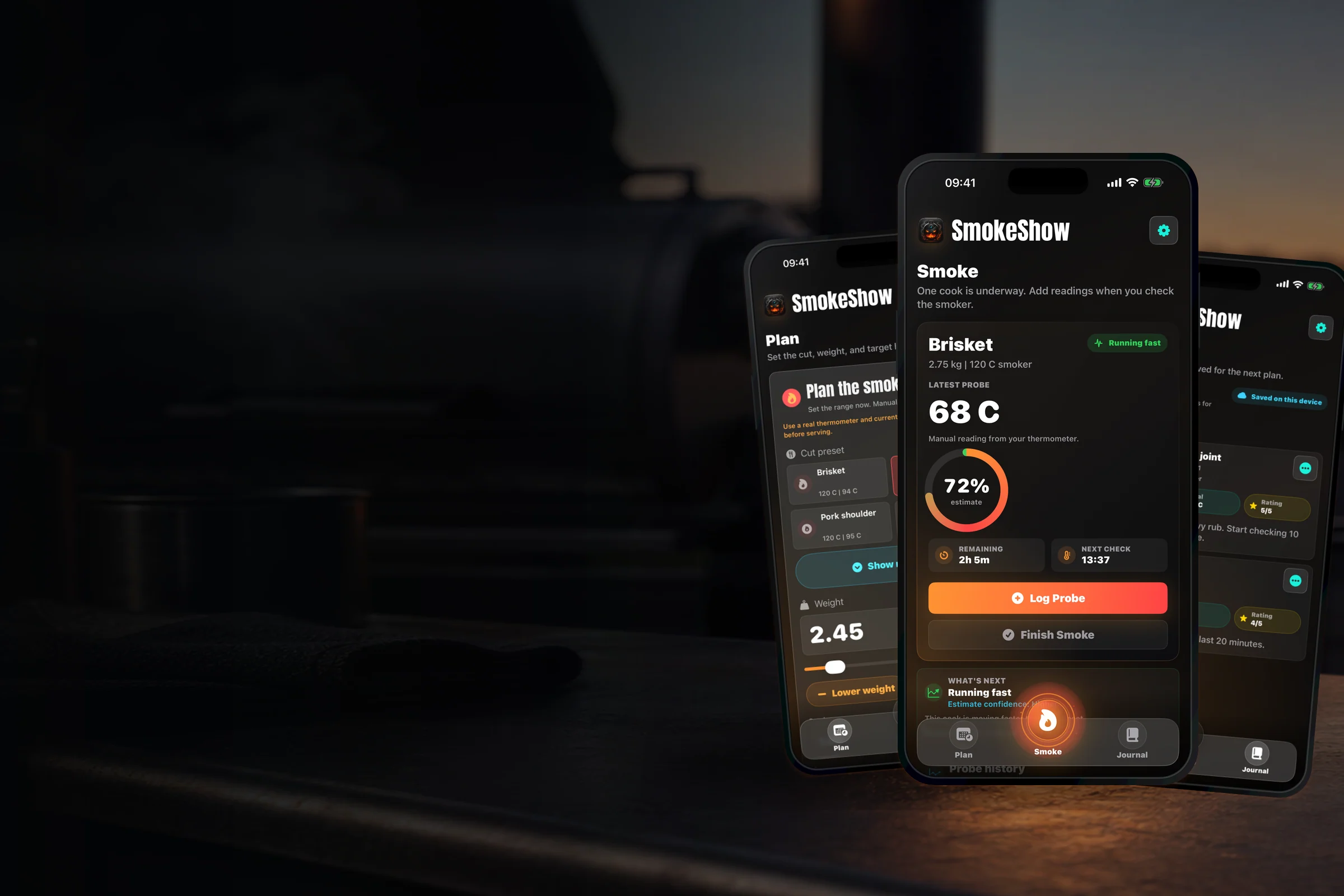

Set the range before the fire starts.
Choose the cut, weight and target, then see a projected smoke-time range.
 SmokeShow
App Store
SmokeShow
App Store
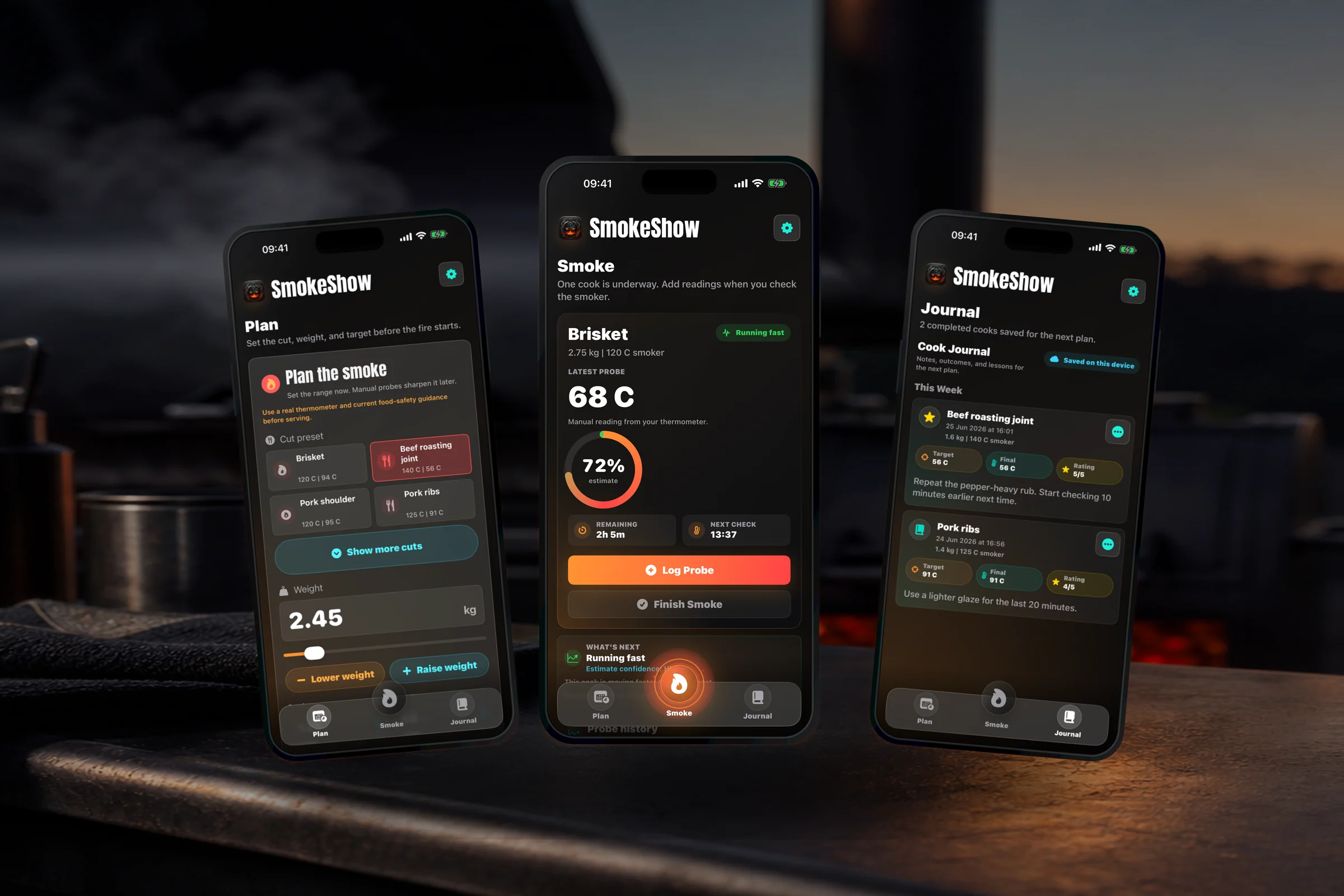
Plan. Smoke. Journal.
Plan the cook, track manual probe checks, and keep the notes worth repeating.
Now on the App Store. One purchase. No subscription.
Plan. Smoke. Journal.
Before the fire, you need a plan. During the cook, you need the live state. After the meal, you need the notes worth keeping.
Choose the cut, weight and target, then see a projected smoke-time range.
Latest probe, next check and Log Probe stay close while the cook is underway.
Save completed cooks with ratings, notes and details that help the next plan.
Smoke
Returning with an active cook takes you to Smoke, not back through setup.
Manual thermometer checks are the source of truth, so the logging path stays prominent.
Insight states help describe the pace without turning estimates into food-safety claims.
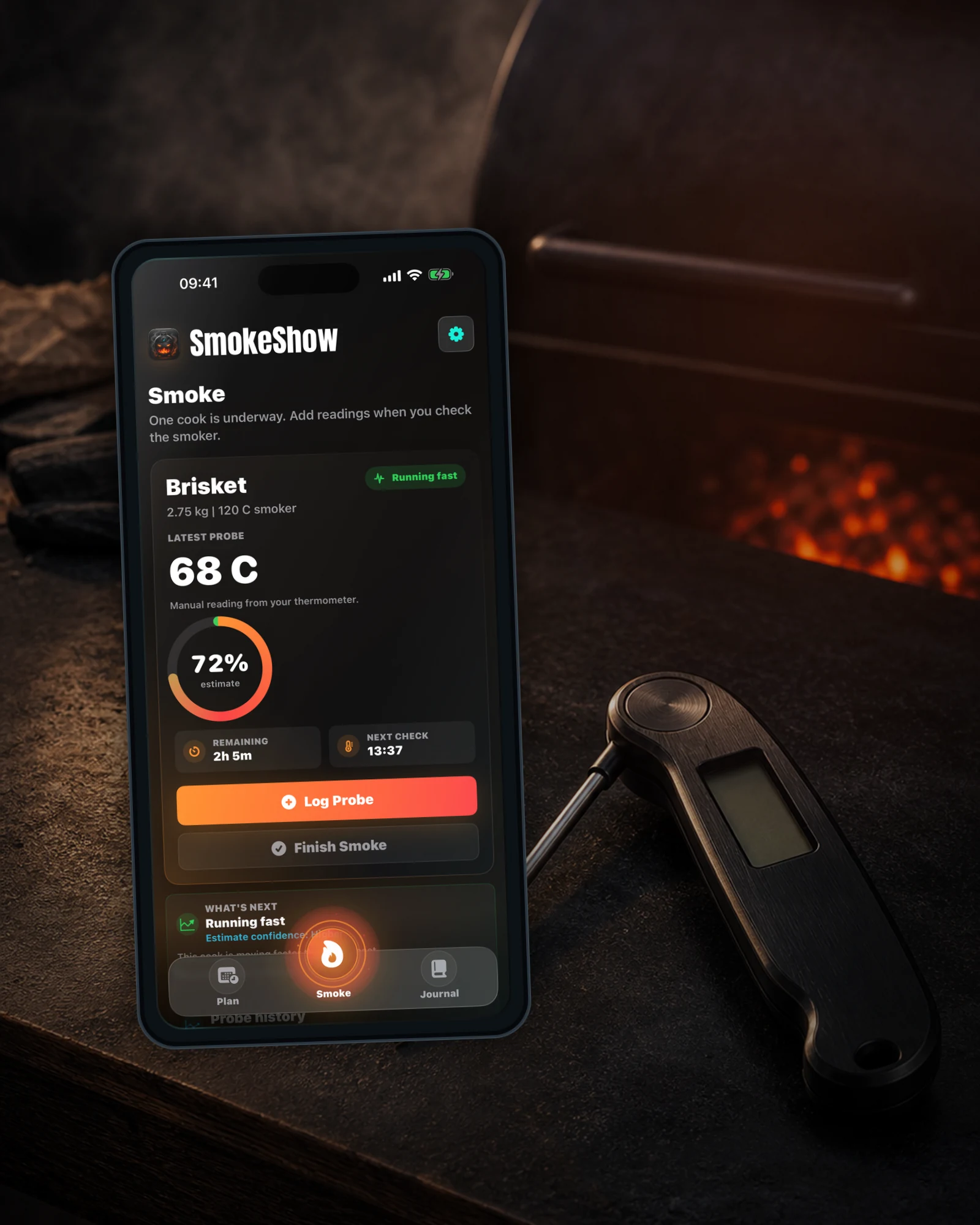
The live cook gets priority because that is where the doubt usually turns up.
Cut, weight, smoker temp and target stay together before the cook starts.
A real thermometer reading goes in. The live cook updates around that manual check.
Ready-to-rest states and rest timers stay tied to the cook you are tracking.
Set temperatures and weights in the units you actually cook with.
Plan
Cut, weight, smoker temperature, target, and beef doneness feed into an estimated range before the cook starts.
See when the first manual thermometer check is likely due, then let optional reminders nudge you during the cook.
It is a planning range, not a prophecy. Weather, meat shape, lid openings, and probe placement still get a vote.
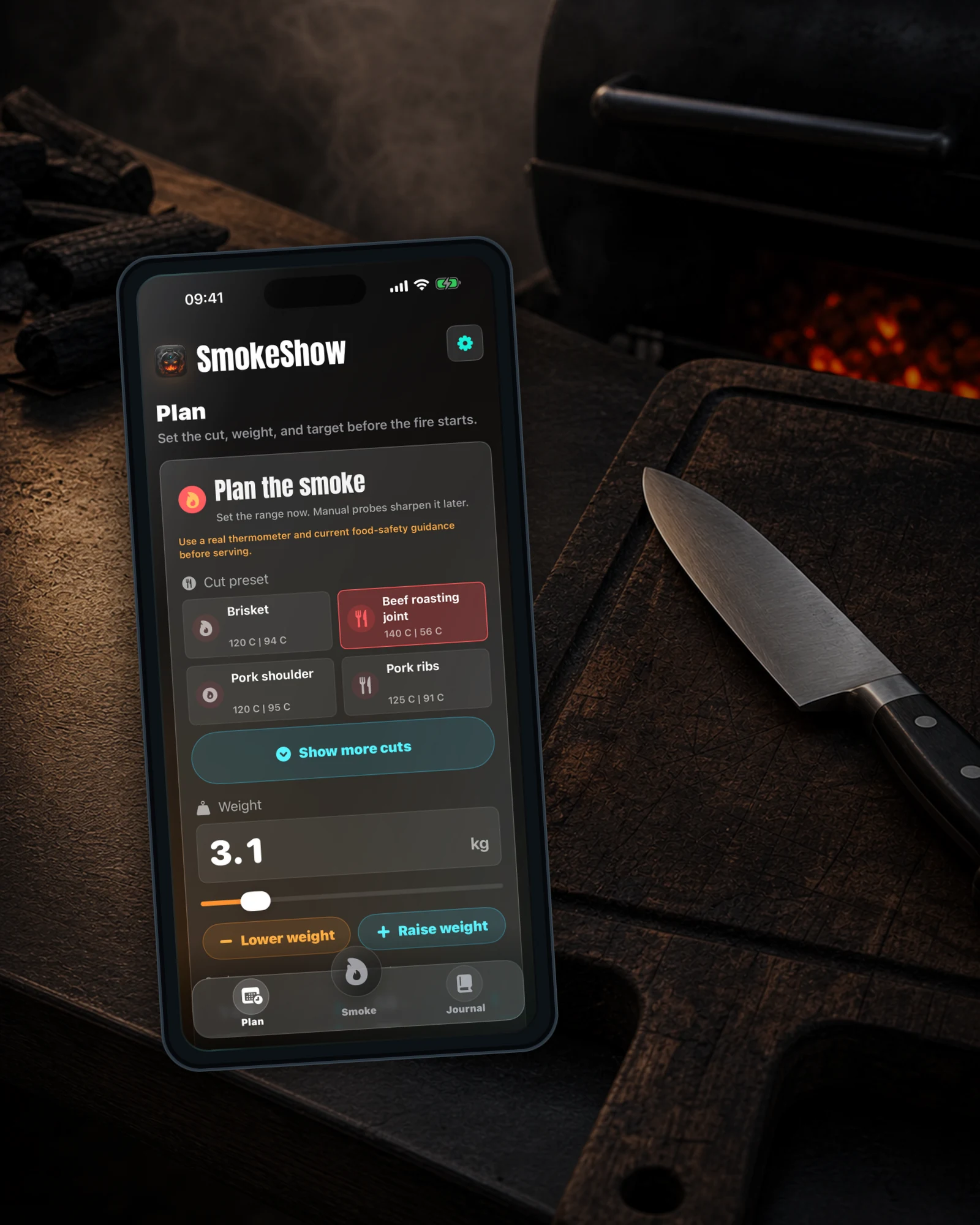
Useful timing help before the fire starts. Not fake certainty.
Journal
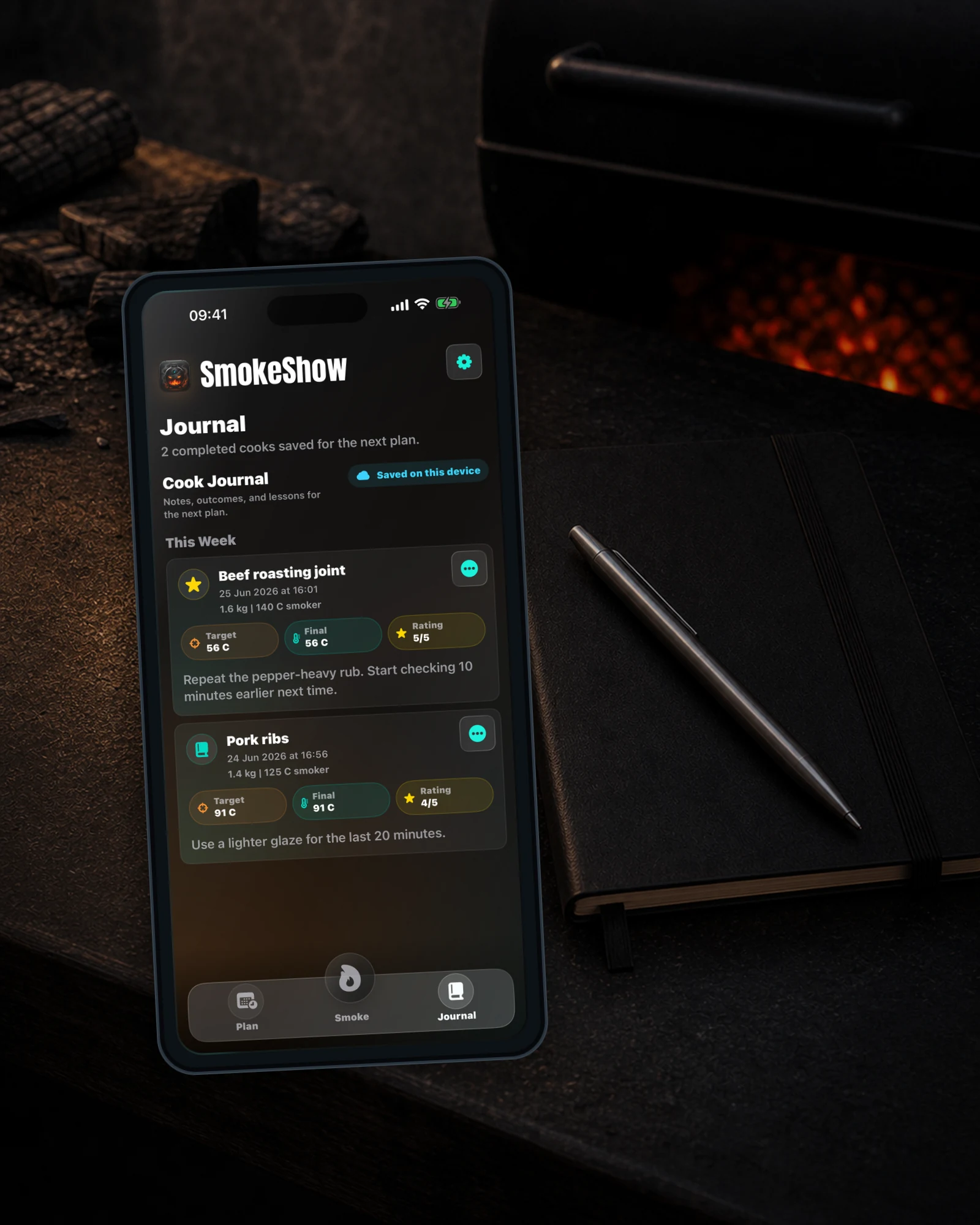
Good cooks become repeatable. Bad cooks become useful.
Capture what worked, what changed, and what you would absolutely do again.
Mark the cooks that earned a repeat and build better reference points for future sessions.
Attach photos and videos locally. Cross-device media sync is not a current shipped claim.
Share a simple cook summary through iOS when the result deserves witnesses.
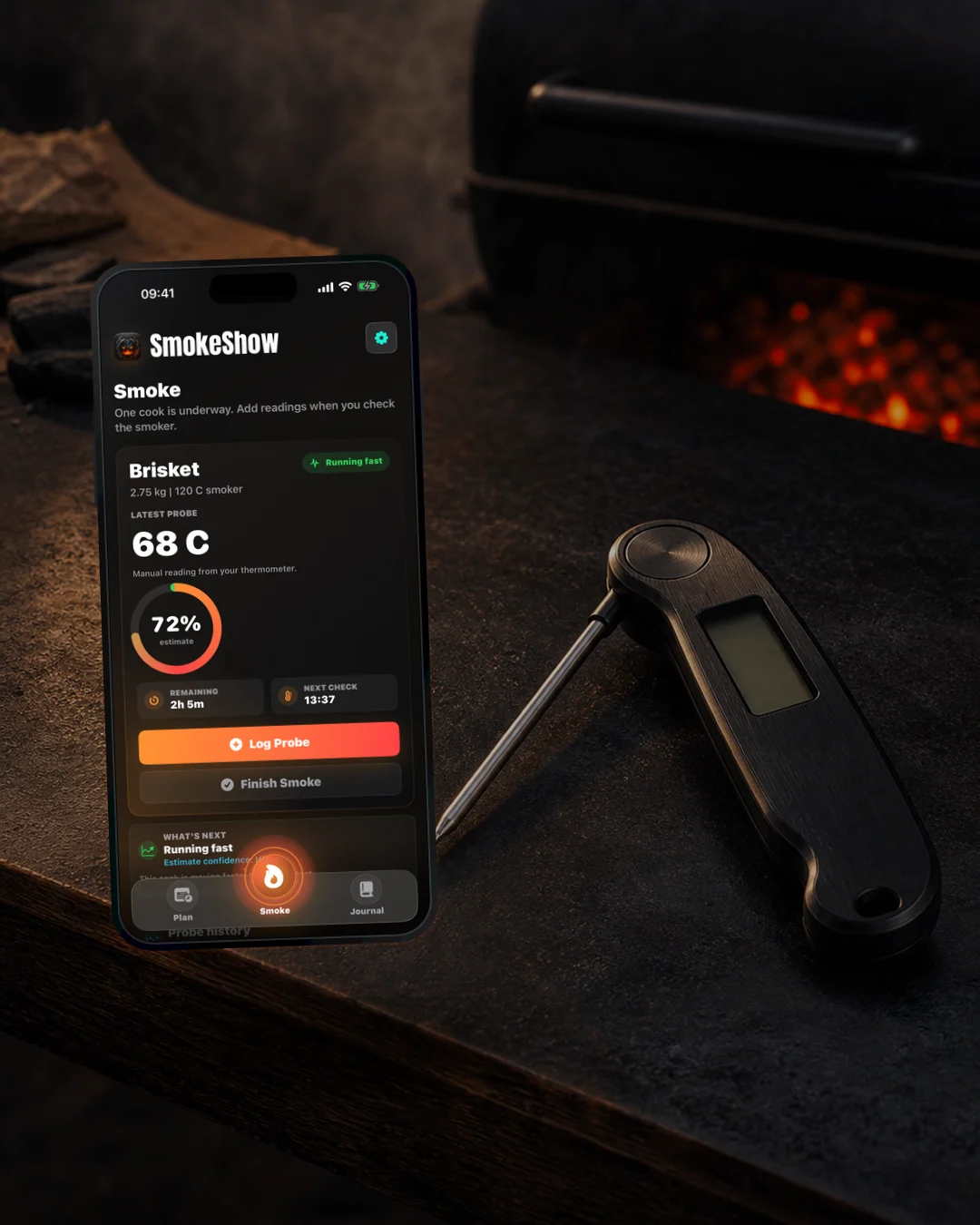
Widgets summarize the active Smoke state saved by the app. They refresh under iOS rules, so treat them as quick checks rather than live tickers.
Live dashboard: status, progress, remaining estimate, next check, insight state, and temperature chart in one place.
Dynamic Island: compact views can show progress or active-smoke count, depending on device and system state.
Home Screen widgets: small and medium widgets keep smoke status visible when the phone is unlocked.
Check reminders: optional local notifications can nudge you before the next manual probe check. Prompts, not guaranteed alarms.
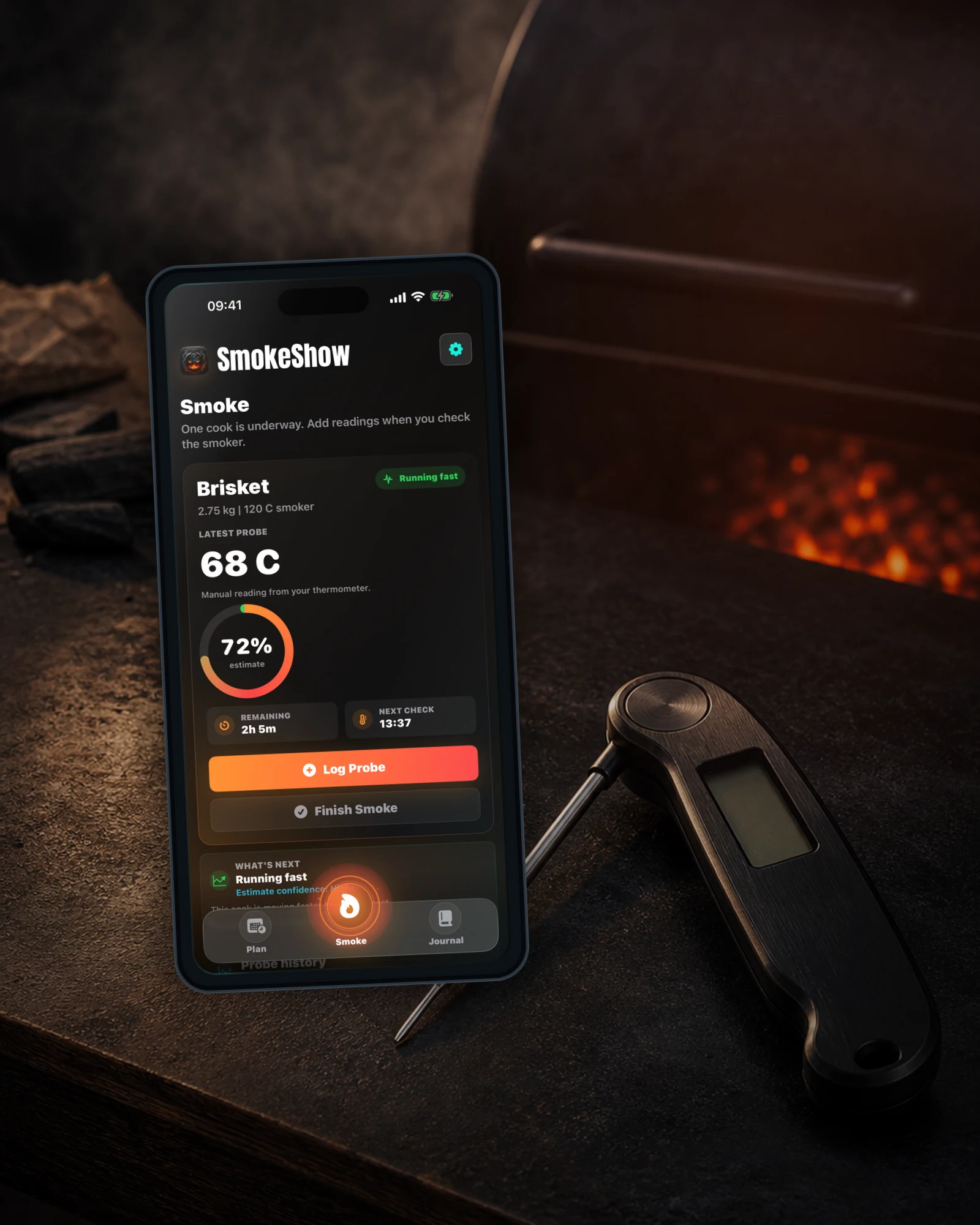
Live Activities and widgets keep the cook visible on supported devices, but the reading still comes from you and your thermometer.
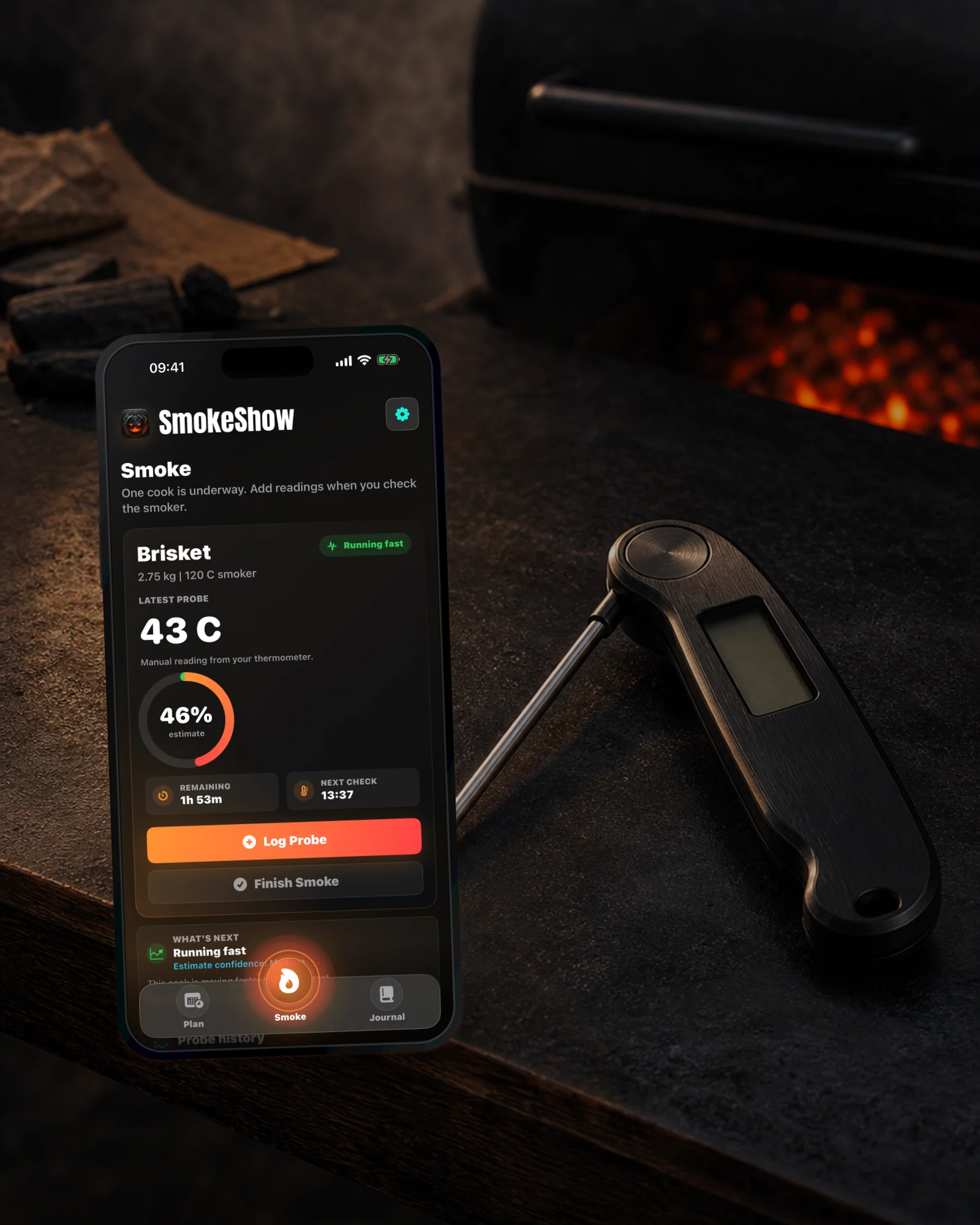
Trust
SmokeShow works from manual readings you take yourself. It helps with planning, timing, logging, and learning, but it does not certify food safety, replace a thermometer, or control your smoker.
Pick the cut, weight, smoker temperature, and target to see a projected range before you commit the cook.
SmokeShow suggests when to take the first manual reading, so checking the meat is planned, not panicked.
Use precise decimal entry, coarse slider movement, and step controls whether the packaging says 2.65 kg or 5.8 lb.
Choose kilograms or pounds, Celsius or Fahrenheit, and keep the selected units primary while SmokeShow stores the cook consistently.
Plan smoker temperatures down to 107 C / 225 F for recipes that start below the older Woodfire-style 120 C floor.
Topside, silverside, sirloin, rib, and rolled joints get a smoke-roast preset instead of being treated like brisket.
When active cooks exist, SmokeShow comes back to the live cook instead of making you hunt through setup.
Log real thermometer readings and let SmokeShow update the estimate around what is actually happening.
Optional local nudges can arrive before the next manual check. iOS controls delivery, so they are prompts, not alarms.
Manual readings feed the estimate, chart, confidence, and on-track, fast, slow, stall, ready, or resting states.
For cuts that earn it, SmokeShow can suggest when wrapping may help. Bark judgement still belongs to the cook.
Recommended rest windows and timers keep the post-smoke stage visible before the cook is saved to Journal.
Track multiple active cooks with collapsible cards and a compact count when the smoker gets busy.
Small and medium widgets keep progress, next check timing, and cook status visible without opening the app.
Live Activities and Dynamic Island keep supported iPhones in the loop alongside Home Screen widgets.
Check an active smoke, log a manual Celsius probe reading, or open the right cook through SmokeShow actions in Apple Shortcuts.
Cook content stays on your device. Optional diagnostics are controlled on first launch and can be changed later in Settings & About.
Save ratings, favourites, notes, media references, and native share summaries so the next cook starts smarter.
SmokeShow is built around the lifecycle of a real smoke: Plan before the fire, Smoke while the cook is live, and Journal the notes worth keeping for next time.
Yes. The planner can show a projected smoke-time range and a suggested first manual check before you press Start. Treat it as a planning window, not a dinner reservation.
Yes. A first reading helps the estimate, but starting without one is intentional. Log the first manual probe check later when the cook is ready for it.
Yes. SmokeShow includes Shortcuts actions for checking an active cook, logging a manual Celsius probe reading, opening or planning a smoke, and confirmed rest or completion steps. App Shortcut phrases can also work with Siri once iOS has discovered them. Recognition depends on the device, language, indexing, and Siri state.
No. Planning actions can prefill the planner, but SmokeShow opens so you can review the weight, temperatures, doneness, and safety guidance before starting.
No. SmokeShow is for cooks who trust a real thermometer. Take the reading yourself, then log it in the app.
Yes, if you allow notifications. SmokeShow can schedule local reminders before manual checks and rest completion. iOS controls delivery, so they are useful nudges, not guaranteed kitchen alarms.
Yes. Live Activities use the Lock Screen and Dynamic Island where available, and Home Screen widgets give glanceable smoke status on supported devices, including iPhones without Dynamic Island.
No. Widgets refresh under iOS rules from snapshots saved by the app. They are for quick checks, not a second-by-second live ticker.
No. Widgets live on the Home Screen. Live Activities appear on the Lock Screen and Dynamic Island where supported. SmokeShow supports both, but iOS treats them as different features.
No. SmokeShow gives cautious guidance like "consider wrapping" or a recommended rest range. Bark, tenderness, preference, and food safety still need your judgement and a real thermometer.
Yes. Beef roasting joint is built for UK-style smoke-roasted topside, silverside, sirloin, rib, and rolled joints, with Rare, Medium rare, Medium, and Medium well target options.
SmokeShow is designed around Woodfire-style home smoker planning, with smoker temperatures down to 107 C / 225 F and up to 210 C / 410 F. Custom settings are available, but this is not a universal pit controller.
No. SmokeShow is independent. Ninja and Ninja Woodfire are trademarks of their respective owners.
Yes. Settings & About lets you choose kilograms or pounds for weight and Celsius or Fahrenheit for temperatures. SmokeShow keeps your selected units primary and shows cooking-useful conversions where helpful.
Yes. You can run multiple active smokes, keep cards collapsed, and use supported widgets or Live Activities where available.
Not in the current App Store release. Journal records are local-first. Do not rely on cross-device sync unless a future version explicitly adds and verifies it.
Yes. Notes, ratings, favourites, and local photo/video references are supported. Cloud sync for media files is not shipped yet.
Anonymous app analytics are off by default. If enabled in a release build, SmokeShow uses fixed feature events rather than cook content. Names, notes, photos, emails, exact temperatures, and exact timings are excluded.
Yes. Analytics and crash-reporting choices appear on first launch and can be changed later in Settings & About.
No. SmokeShow helps with planning and logging. Your thermometer and current official food-safety guidance get the final say before serving.
SmokeShow is live on the App Store for iPhone and iPad. Plan the smoke, log the manual checks, and keep the notes worth repeating. One purchase. No subscription.